
You join on mute
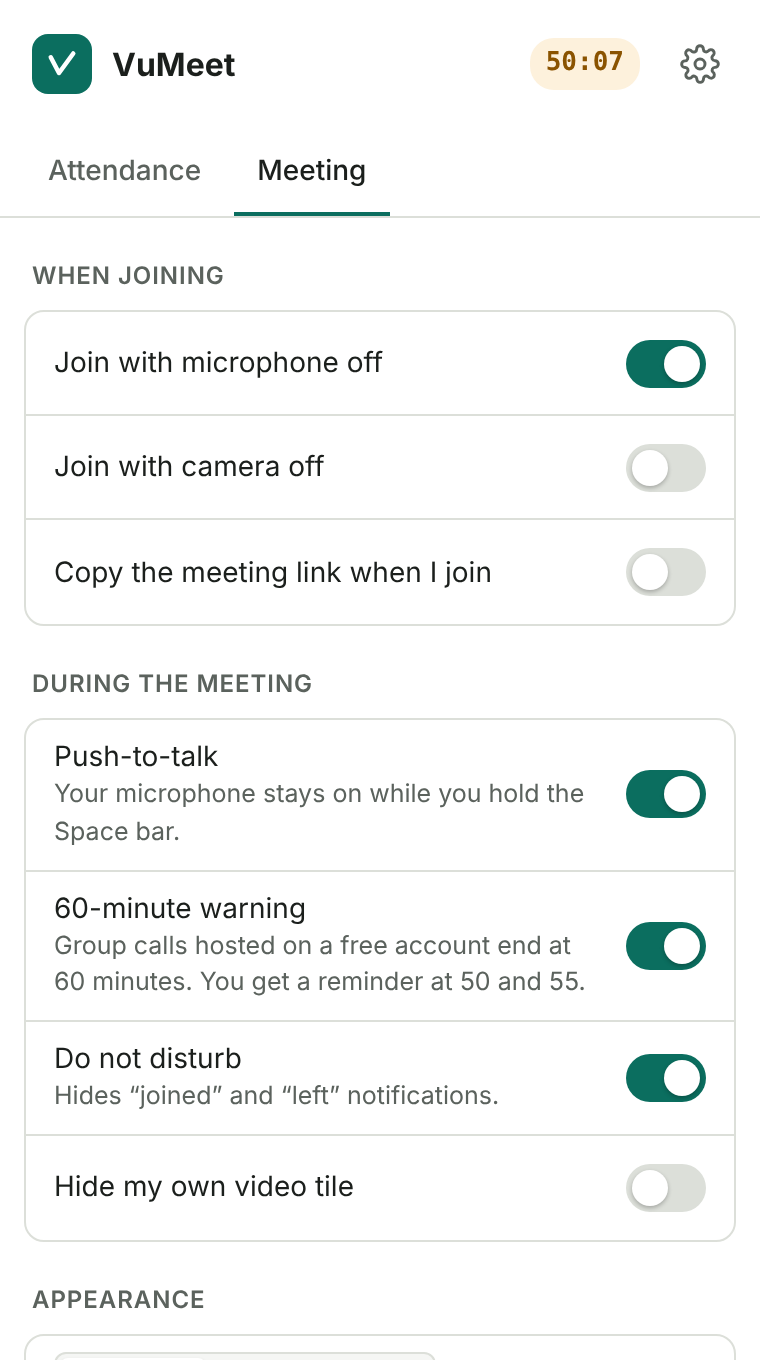
Your microphone is switched off before you enter the call, and the camera too if you like. To speak, hold the Space bar; let go and the microphone turns off again.
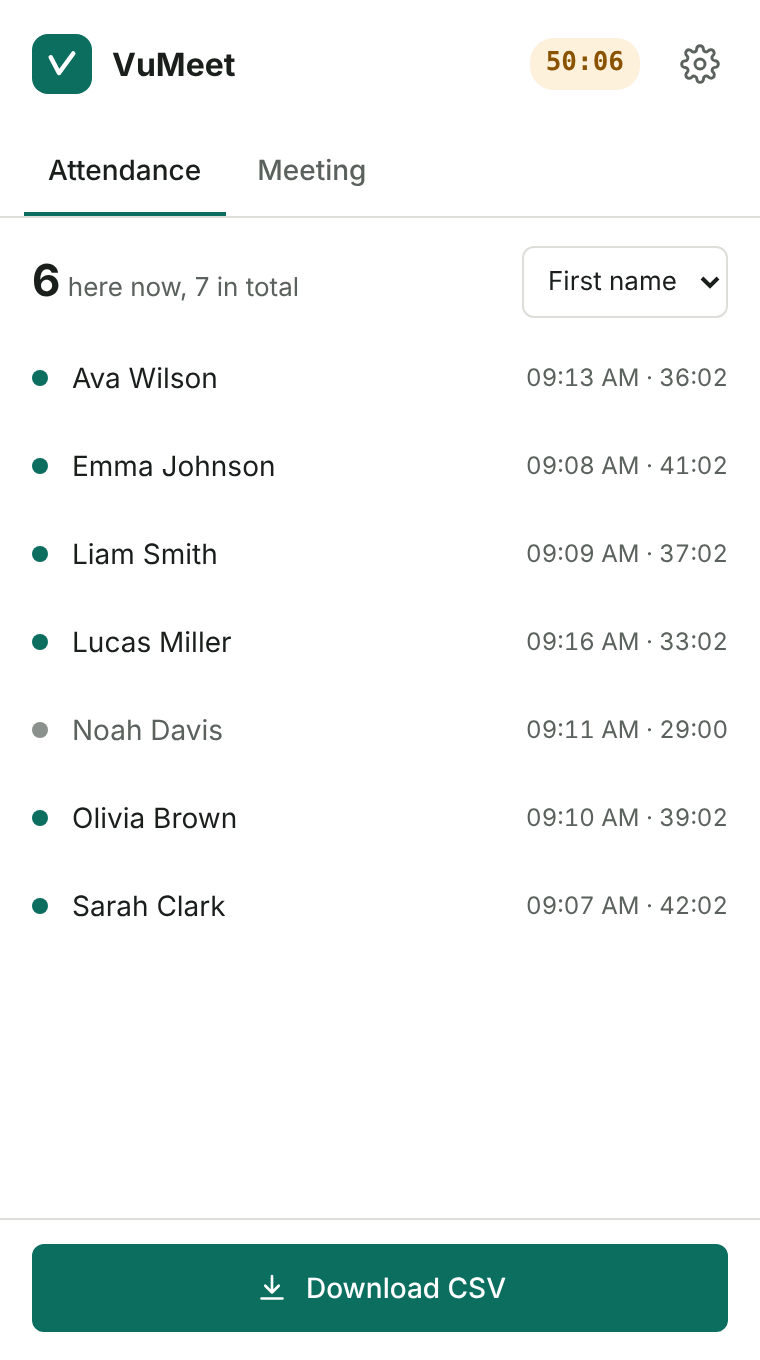
VuMeet opens as a panel beside the page. It keeps a live record of who came in, who left and how long each person stayed, and when class is over the list goes to Excel in one click. Made for people who teach from a free Gmail account.
For Chrome, Edge, Opera and Firefox. No account needed.
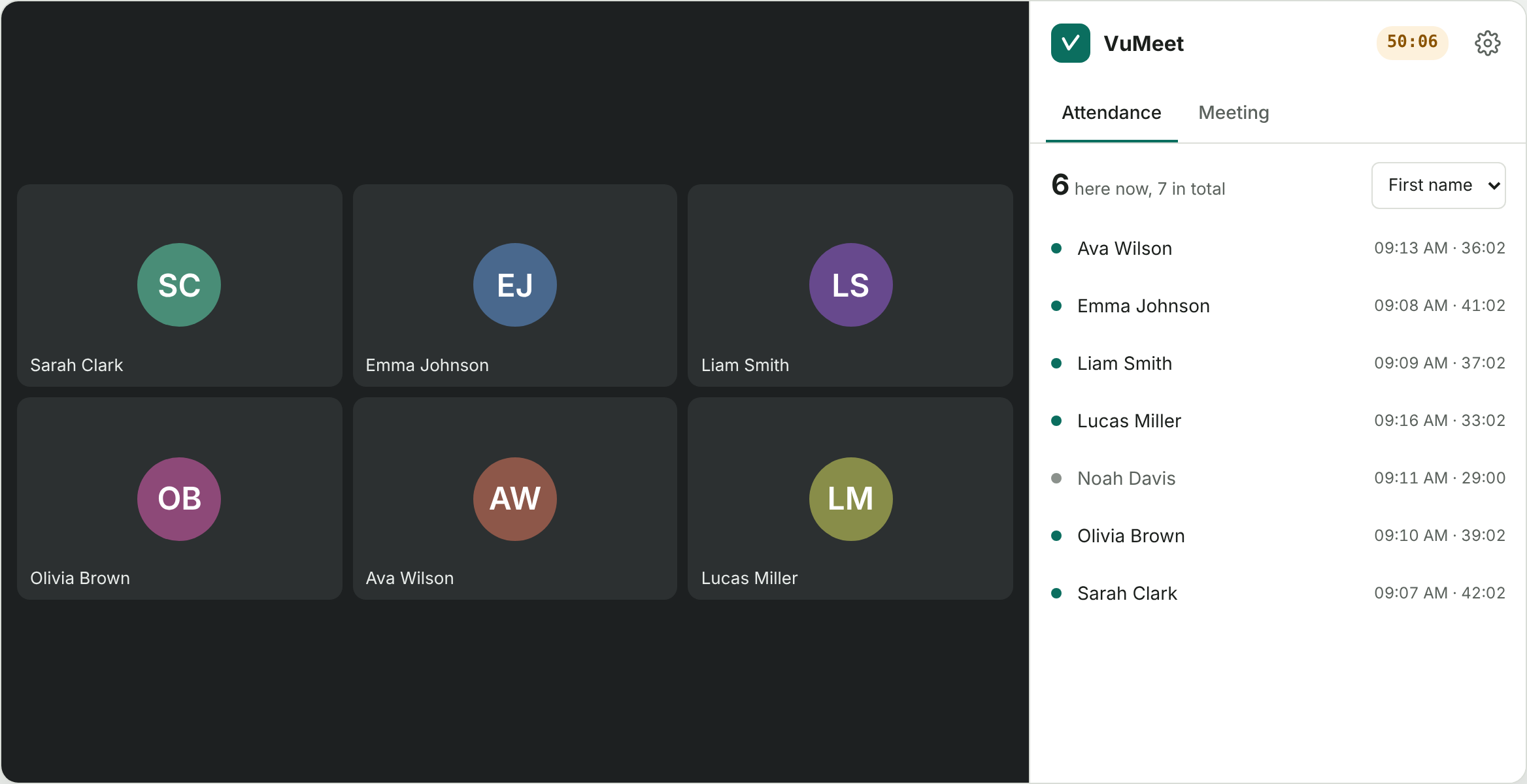
What VuMeet does during a nine o'clock class. Every step shows the real extension screen.
Your microphone is switched off before you enter the call, and the camera too if you like. To speak, hold the Space bar; let go and the microphone turns off again.
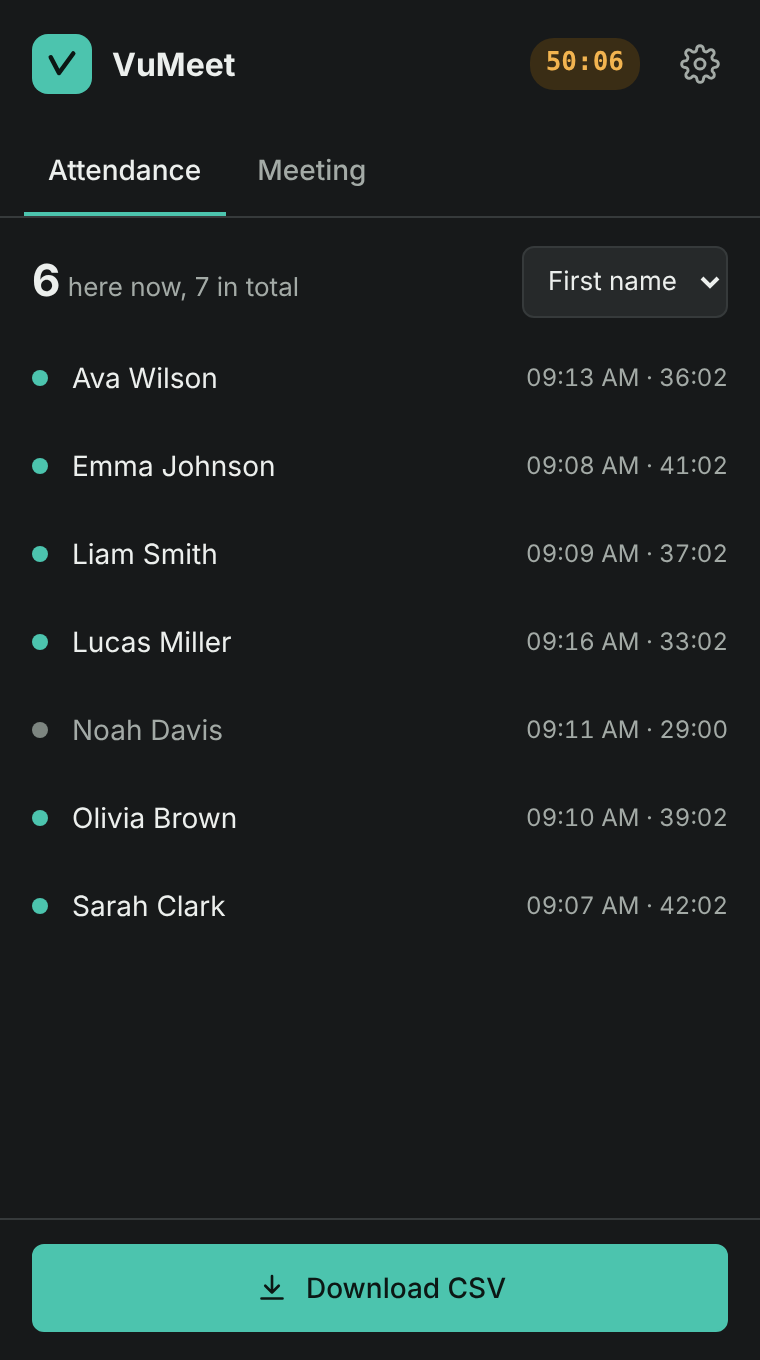
See who joined at what time, who left and how long each person stayed. A student whose connection drops and comes back stays on one line with the time added up. Sort by first name, last name or join time.
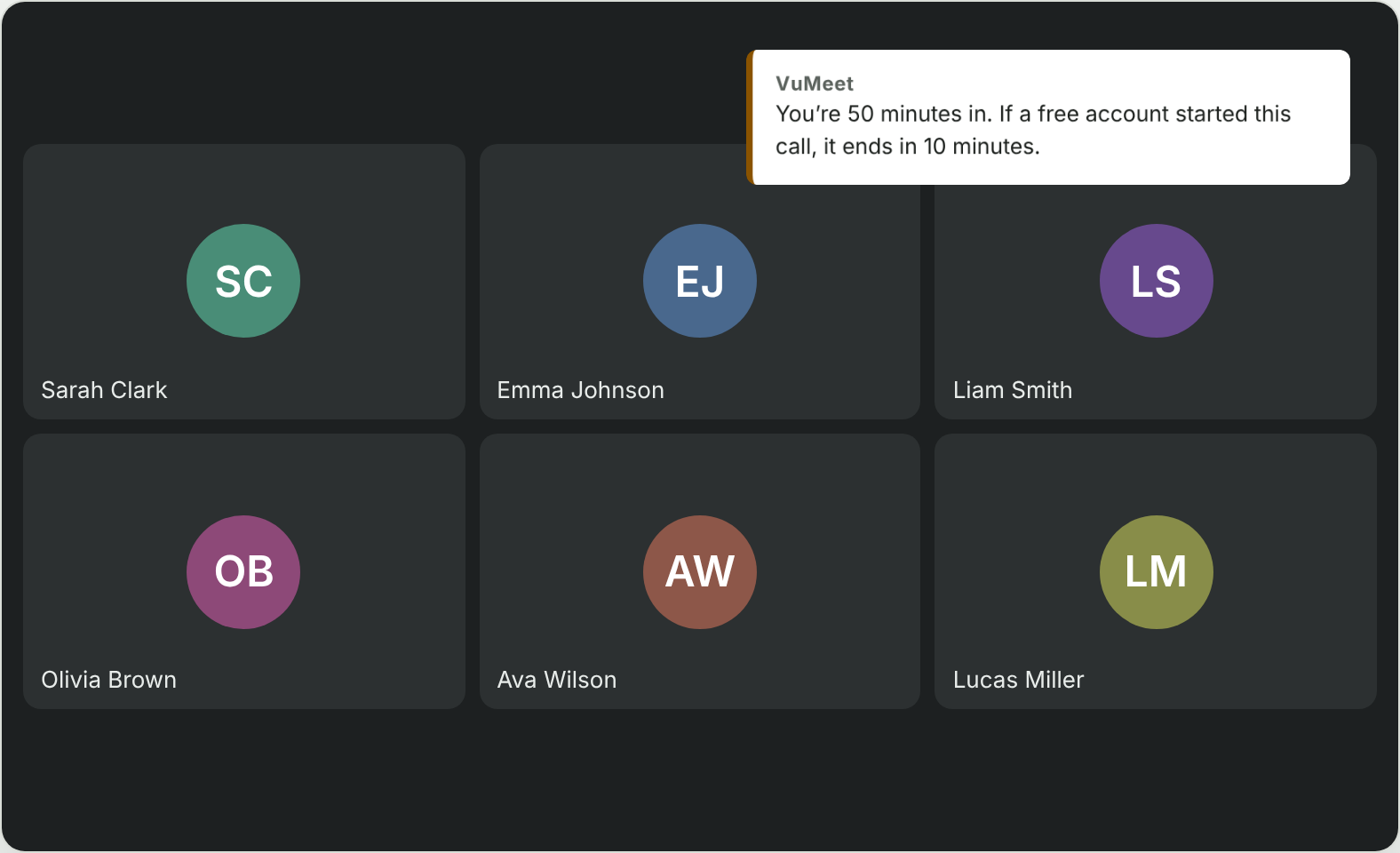
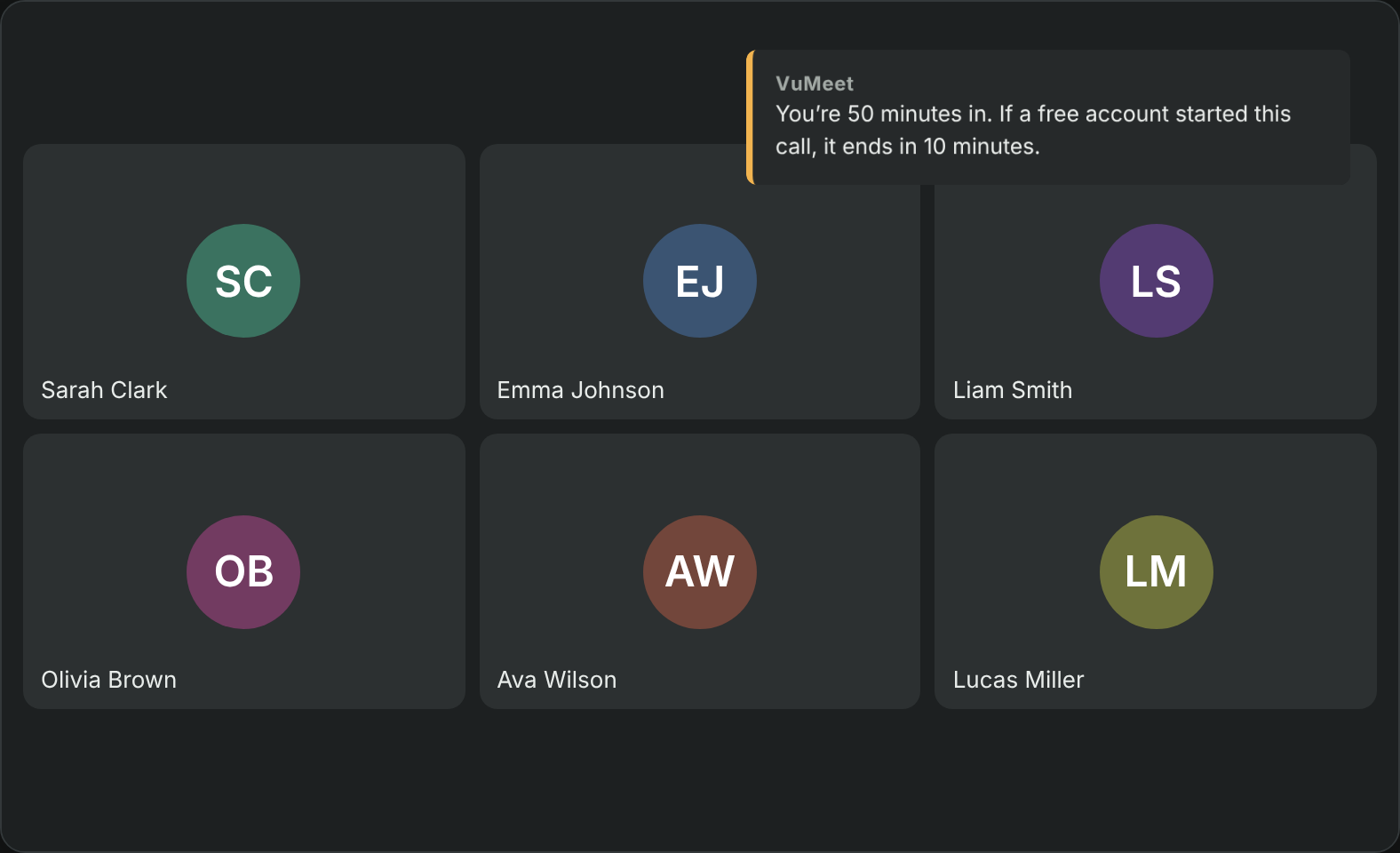
Group calls hosted on a free account end at 60 minutes. VuMeet shows a short notice on the page at 50 and 55 minutes, so you have time to wrap up.
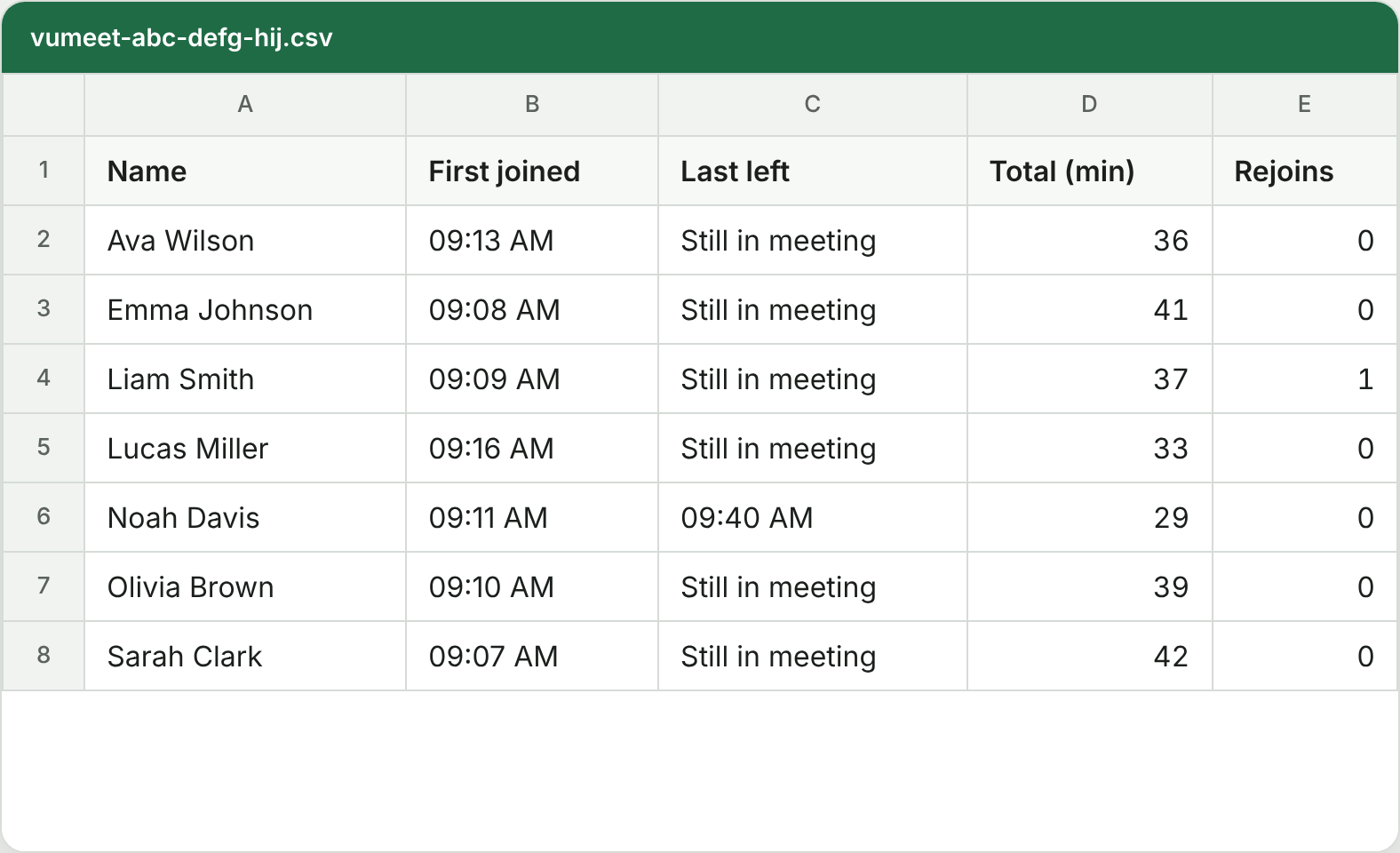
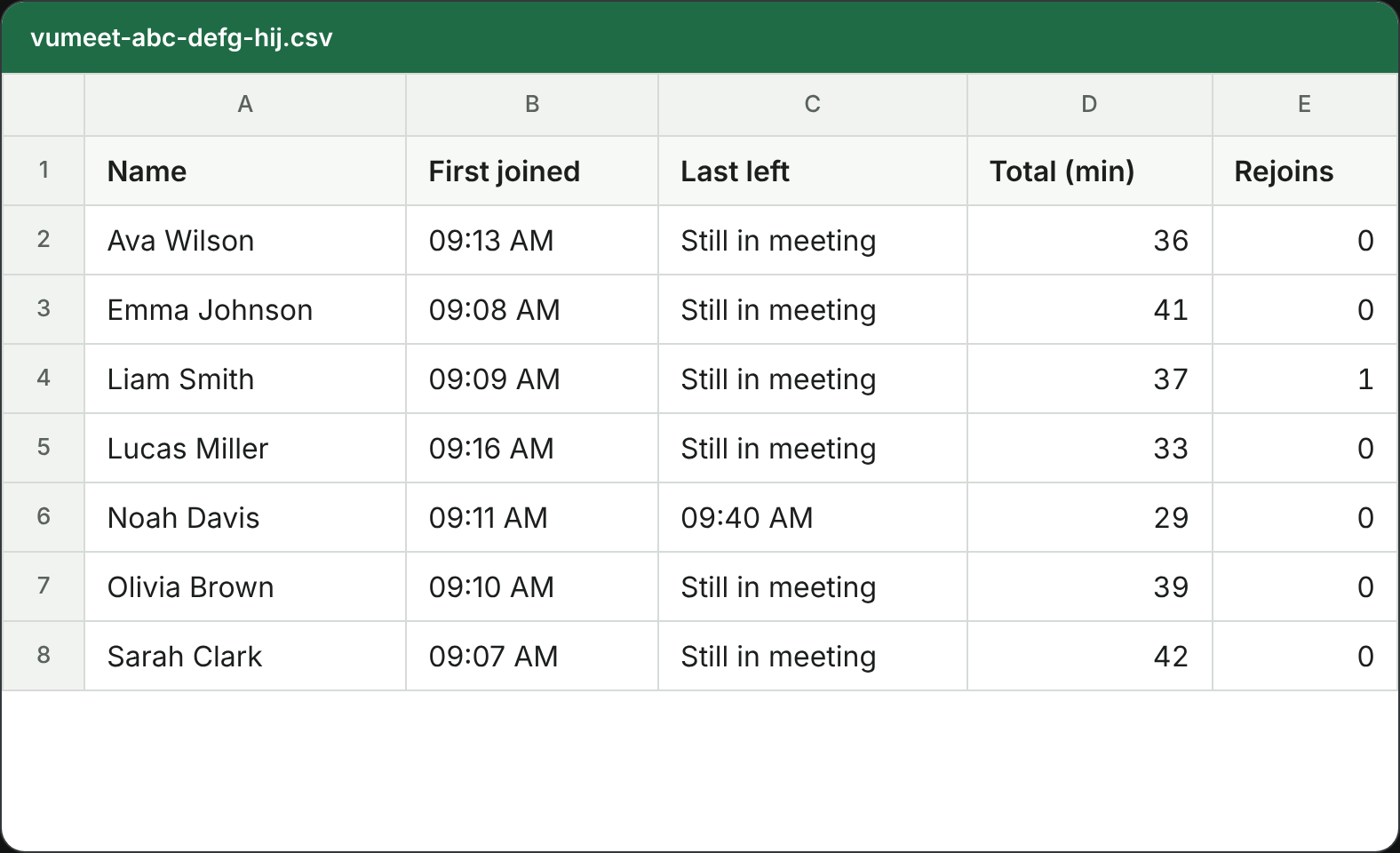
"Download CSV" saves a file that Excel splits into the right columns: name, first joined, last left, total minutes and number of rejoins.
| Free | Pro soon | |
|---|---|---|
| Price | 0 | Yearly or one-time |
| Attendance | Live list and CSV | Term history and Excel reports |
| Compare with a class roster | No | Yes |
| Admit people on your roster automatically | No | Yes |
| Quiet join, push-to-talk, 60-minute warning | Yes | Yes |
| Caption and chat transcripts | No | Yes |
Install VuMeet from your browser's add-on store. Where the store page is not open yet, you can download the package here and install it by hand.
VuMeet runs in a desktop browser. Open this page on your computer to install it.
Chrome Web Store
Your browser
Download packageMicrosoft Edge Add-ons
Your browser
Download packageFirefox Add-ons
Your browser
Available once the store review is done.
Opera add-ons
Your browser
Download packageUnzip the download into a folder. Open chrome://extensions in Chrome, edge://extensions in Edge or opera://extensions in Opera, switch on "Developer mode" and choose "Load unpacked". Then open a Meet call and click the VuMeet icon in the toolbar. In Chrome and Edge the panel opens beside the page; in Opera it opens as a separate window docked to the right.
Yes. VuMeet was made for people who teach from a free Gmail account. Google's own attendance report is only included in some paid plans; VuMeet works with any account.
Meet shows a limited number of tiles at once. In big classes keep Meet's People panel open and VuMeet sees everyone; the panel reminds you.
No. The limit is Google's rule and VuMeet does not try to get around it. It only warns you before time runs out.
No. Only the person running the call installs it.
English, Turkish and Russian. Kyrgyz is in preparation.